Bleed, two ways
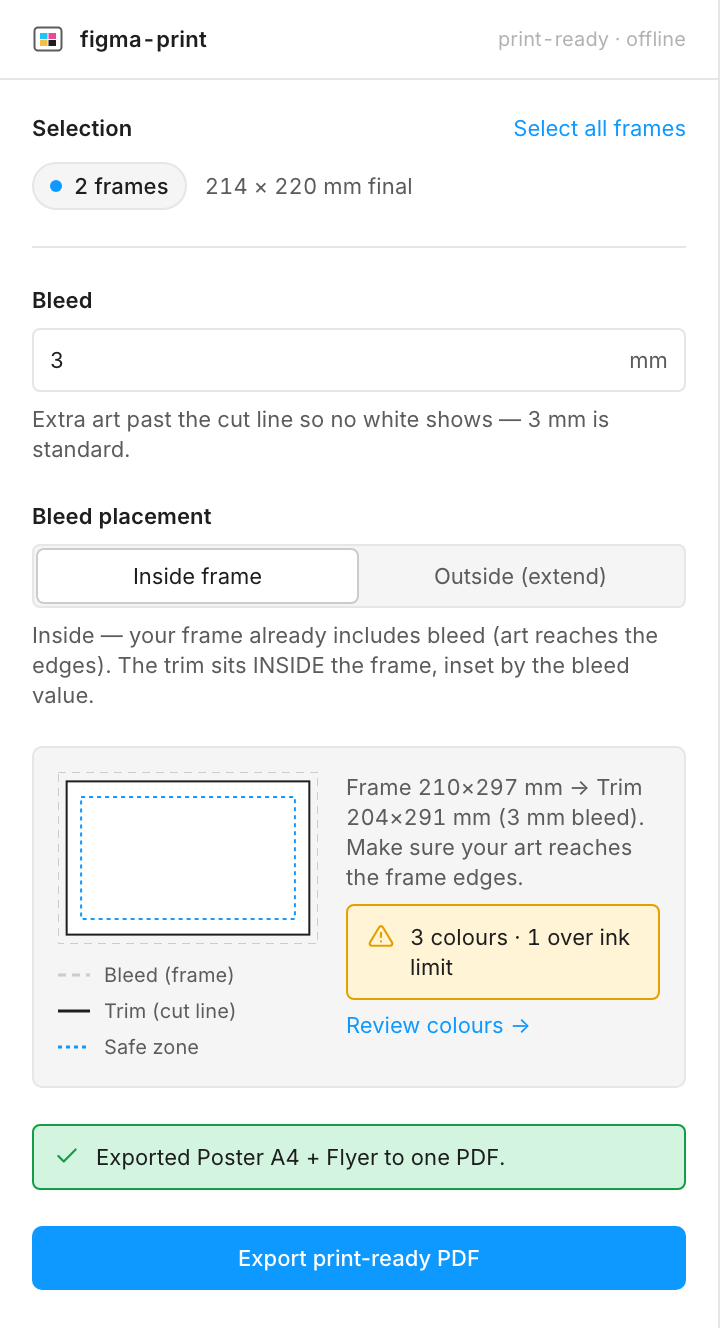
Already built bleed into your frame? Keep it inside. Need it added? Switch to extend and figma-print grows the frame and stretches the background out past the cut — 3 mm or your own value.
Add bleed and crop marks, see which colours shift in CMYK, and export a true PDF/X — converted to real CMYK on your machine, in a click.
Select your frames and figma-print handles the parts that usually bounce a file back: bleed, marks, safe zones, and the colour conversion that trips designers up.
Your frame comes out as a true print-ready PDF/X with the bleed filled, crop marks sitting clear of the artwork, the trim and bleed boxes set exactly where the press expects them, and a CMYK output intent embedded. Hand it to any printer.
Already built bleed into your frame? Keep it inside. Need it added? Switch to extend and figma-print grows the frame and stretches the background out past the cut — 3 mm or your own value.
Added automatically, exactly where the printer expects them — sitting clear of the bleed, with the trim and bleed boxes baked into the PDF.
A dashed margin keeps headlines and logos away from the cut. It guides you on the canvas and stays out of the final PDF.
See every fill, stroke and gradient stop as it'll print, with anything too ink-heavy flagged before it muddies on press. Tag your Pantone spots while you're there.
Export a whole set as a single multi-page PDF in reading order, or one file per frame — whichever your printer prefers.
Preview on the canvas as a separate Print-Ready copy. Your originals are never moved or resized — ⌘Z or Remove undoes everything.
One frame or a whole set. figma-print reads your selection and shows the final printed size of each.
Set your bleed and placement, glance at the live schematic, and review any colours that shift in CMYK.
One click writes a print-ready PDF/X — bleed, marks, page boxes and real CMYK baked in. Send it on.
Two print standards, both produced entirely on your machine. Pick the one your printer asks for — either way the artwork is converted to real CMYK before it leaves Figma, with no upload and no waiting.
A true PDF/X with your colour profile attached as an output intent, so the press knows exactly how to read your artwork. Right for the vast majority of jobs.
The colour check shows you what the press will see before you send — and it's all generated offline, in a click.
Need the file already split into DeviceCMYK? figma-print converts every pixel with a professional ICC engine (LittleCMS) and a GRACoL profile, then embeds it as a real CMYK PDF/X-1a.
No conversion service, no cold start, no upload — the exact separations a fussy shop wants, generated on your machine, instantly.
figma-print runs entirely in the plugin — no server, no account, no per-export cost — so there's nothing to charge for. It's MIT-licensed: use it, fork it, ship it inside your own tools.
Download the plugin and import it into the Figma desktop app. No account, no build step, nothing to learn.
.zip and unzip it anywhere.manifest.json. It now lives under Plugins → Development.